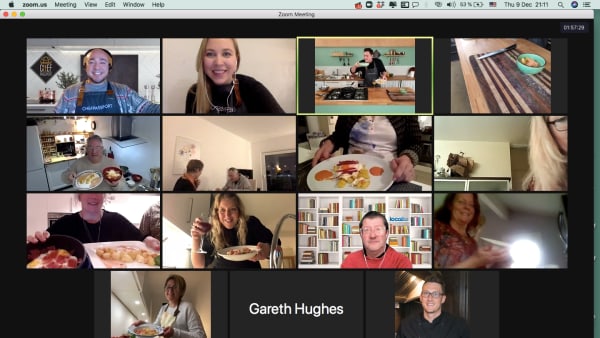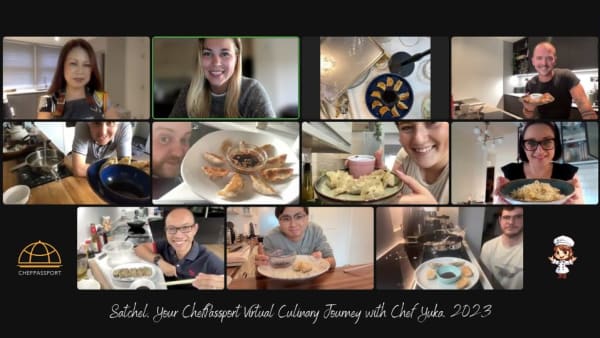
A free virtual team lunch template gives managers a ready-made structure—invite copy, agenda and timing—to turn a video call into a shared moment instead of thirty minutes of awkward chewing on camera. The best templates include a clear reason to meet (a shared dish, a prompt or a light activity) so participation feels natural, not forced.
Remote employees can be more engaged than some peers, but they're also more likely to report stress, sadness and loneliness, according to Gallup's State of the Global Workplace 2026—a backdrop that makes deliberate, repeatable rituals of connection matter more. Virtual team lunches work when they have structure, brevity and a shared anchor.
Key takeaways
- A good template includes a clear invite (reason, time, prep), a tight agenda (5–10 min intro, 15–20 min shared activity or prompt, 5 min close) and a simple shared anchor—dish, question or game.
- The invite should feel optional, not mandatory, and tell people exactly what to bring, do or expect so they can show up confident.
- Without a reason to talk, virtual lunches become thirty minutes of silent eating—add a shared dish, icebreaker or story prompt to give the call a purpose.
- After running hundreds of virtual events, we've found that cooking a simple dish together, answering a rotating question or sharing a photo prompt creates more participation than open chat.
- Templates work best when adapted—adjust tone, timing and activity to your team's size, time zones and comfort with cameras and sharing.
Why virtual team lunches need structure

A virtual team lunch without a reason to exist becomes thirty minutes of people eating in silence, cameras off, waiting for someone else to talk. The problem isn't the concept—it's the lack of a shared anchor that makes the call feel like more than an obligation.
After running hundreds of virtual events, we've found that the lunches people remember and want to repeat share three things: a clear invitation that tells you what to expect, a tight agenda that respects time, and a simple activity or prompt that gives everyone a reason to participate. The template solves the first two; the activity solves the third.
In Luxembourg, where 47% of employees are cross-border workers and 27.3% sometimes work from home (compared to 13.3% across the EU27), according to EURES labour market data, virtual team lunches are often the only repeatable way to reconnect a distributed, multilingual workforce without travel.
Virtual team lunch invite template (copy-paste ready)
The invite sets the tone. It should feel like an invitation—not a calendar block with no context. Here's a template you can adapt:
Subject: Team Lunch – [Date] – Optional, fun & 30 min
Hi team,
Let's take a proper lunch break together on [day, date] at [time, time zone].
What: A 30-minute virtual team lunch. Optional, cameras welcome, no agenda beyond spending time together.
When: [Day, date], [time–time]
Where: [Zoom / Teams link]
Bring: Whatever you're having for lunch (or just a coffee).What we'll do:
[Choose one or adapt:]
– Share one thing that made you smile this week
– Cook a simple dish together (recipe and 5-min prep video shared below)
– Answer a rotating question (we'll share on the call)
– Show-and-tell: bring an object from your desk and tell us why it's thereNo prep required unless you want to join the cooking. Just show up, eat and hang out.
See you then,
[Your name]
Adapt the "What we'll do" section based on your team's energy and comfort. The key is specificity—tell people exactly what to expect so they can decide confidently whether to join.
30-minute virtual team lunch agenda

A tight agenda respects time and removes the awkward "so… what now?" moment. Here's the structure that works best across hundreds of sessions:
| Time | Section | What happens |
|---|---|---|
| 0:00–0:05 | Welcome & settle | Host welcomes people as they join, recaps the plan, invites cameras on (optional). No forced small talk. |
| 0:05–0:25 | Shared activity or prompt | The reason you're together: cook a dish, answer a question, share a story, play a quick game. (See ideas below.) |
| 0:25–0:30 | Close & thanks | Host thanks everyone, flags next lunch date if it's recurring, and closes. People drop off when ready. |
The middle twenty minutes are the event. If you're cooking, people follow along; if you're using prompts, the host asks one question and rotates through volunteers. The host doesn't need to fill silence—pauses are fine when people are eating.
What to do during a virtual team lunch (10 tested ideas)
The activity is what turns a calendar block into a shared moment. Here are ten formats that create participation without pressure, drawn from what works in practice:
- Cook a simple dish together. Send a recipe (one-pot pasta, fried rice, a salad) and a 3-minute how-to video a day ahead. Everyone cooks along on the call. The host narrates key steps; people share their results at the end. Cooking gives hands something to do and creates natural conversation.
- Rotating question of the week. One question, everyone who wants to answers in 30 seconds. Examples: "What's the best meal you had this month?" "What's one skill you learned outside work?" "What would you cook if you had three hours and no distractions?"
- Show-and-tell: desk object edition. Everyone grabs something from their desk (a mug, a book, a plant) and shares why it's there. It's low-stakes, visual and often funny.
- Photo prompt. Ask people to share a recent photo (a meal they cooked, a walk, their view, a pet). The host screen-shares each one for fifteen seconds. No critique, just "thanks for sharing."
- One-word check-in. Go around and ask everyone to describe their week in one word. Fast, inclusive, no elaboration required unless someone wants to.
- Recipe swap. Everyone shares one favourite quick recipe in the chat (text or link). At the end, the host compiles them into a shared doc. You build a team cookbook over time.
- Two truths and a lunch. A twist on the classic icebreaker—share two true food facts about yourself and one false. The team guesses. (Example: "I've eaten crickets, I make my own kimchi, I don't drink coffee.")
- Gratitude round. One sentence thanking a teammate for something small this week. Specific, recent, genuine. It's affirming without being forced, and research by Gallup and Workhuman links higher-quality recognition to retention—well-recognised employees were 45% less likely to have left after two years.
- Silent five, then share. Everyone eats in silence for five minutes (cameras optional), then the host asks, "How was the silence?" It's a useful reset for teams that are Zoom-fatigued.
- Mini trivia (food edition). Three quick food trivia questions. No prizes, just fun. Example: "What country consumes the most chocolate per capita?" (Switzerland.) Keeps energy up.
Pick one activity and stick with it for a few sessions, or rotate monthly. Consistency matters more than novelty—teams relax when they know the format.
How to make virtual team lunches feel less awkward
Awkwardness comes from unclear expectations and forced participation. Here's what reduces it:
Make it truly optional. If the invite says "optional" but your calendar shows "required," people won't trust future invites. Let people drop in and out without guilt.
Host with intention. The host (manager or volunteer) sets the tone: welcoming, relaxed, not filling every silence. A good host recaps the plan in the first minute, kicks off the activity and closes on time. They don't perform.
Cameras optional by default. Say "cameras welcome, not required" in the invite. Some people will turn them on once they see others have; forcing it early kills trust.
No work talk. The lunch isn't a status update. If someone brings up a project, the host gently redirects: "Let's park that for our Monday check-in—today's just food and hanging out."
Respect time zones. If your team spans continents, rotate times so the burden doesn't always fall on the same region, or run two sessions. A 12:00 CET lunch is 18:00 in Singapore—acknowledge that openly.
Keep it short. Thirty minutes is the sweet spot. Sixty feels like a meeting. Fifteen is too rushed to settle. After hundreds of sessions, thirty minutes consistently gets the best attendance and feedback.
When to run virtual team lunches (and how often)
Frequency and timing matter. Here's what works:
Weekly: Best for small, close-knit teams (under 15 people) who want a regular ritual. Picks a fixed day and time (e.g., every Thursday at 12:30) so it becomes a habit.
Fortnightly: The most common cadence for distributed teams. Frequent enough to feel like a rhythm, rare enough not to feel like another meeting.
Monthly: Works for larger teams or those with heavy meeting loads. Make it the first or last Friday of the month so it's predictable.
One-off or quarterly: Useful for kicking off a new quarter, celebrating a milestone or reconnecting after a busy period. Pair it with a slightly longer format (45 minutes) and a structured activity like a cooking class.
Best days: Wednesday, Thursday or Friday. Monday feels too abrupt; Tuesday is meeting-heavy. Friday lunches have the best vibe but lower attendance if people finish early.
Best time: 12:00–13:00 local time for the majority of your team. If you're multinational, rotate or run two sessions and be transparent about the compromise.
Virtual team lunch ideas with a shared dish
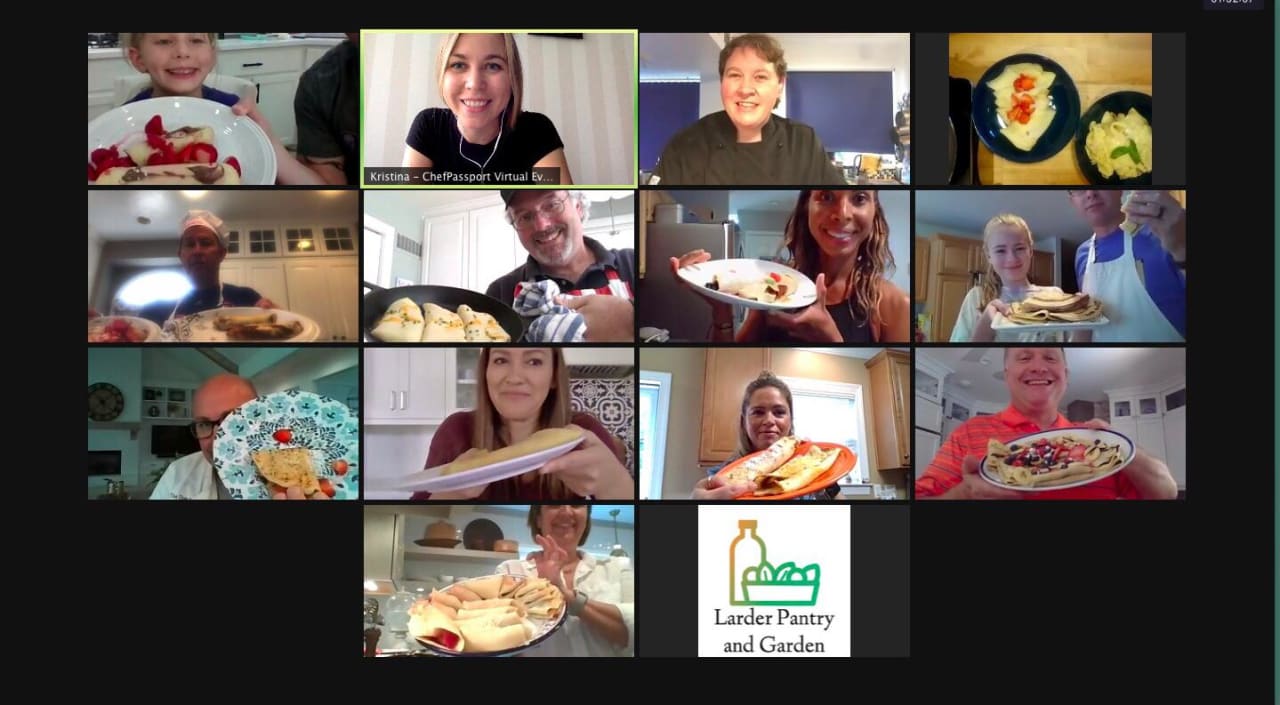
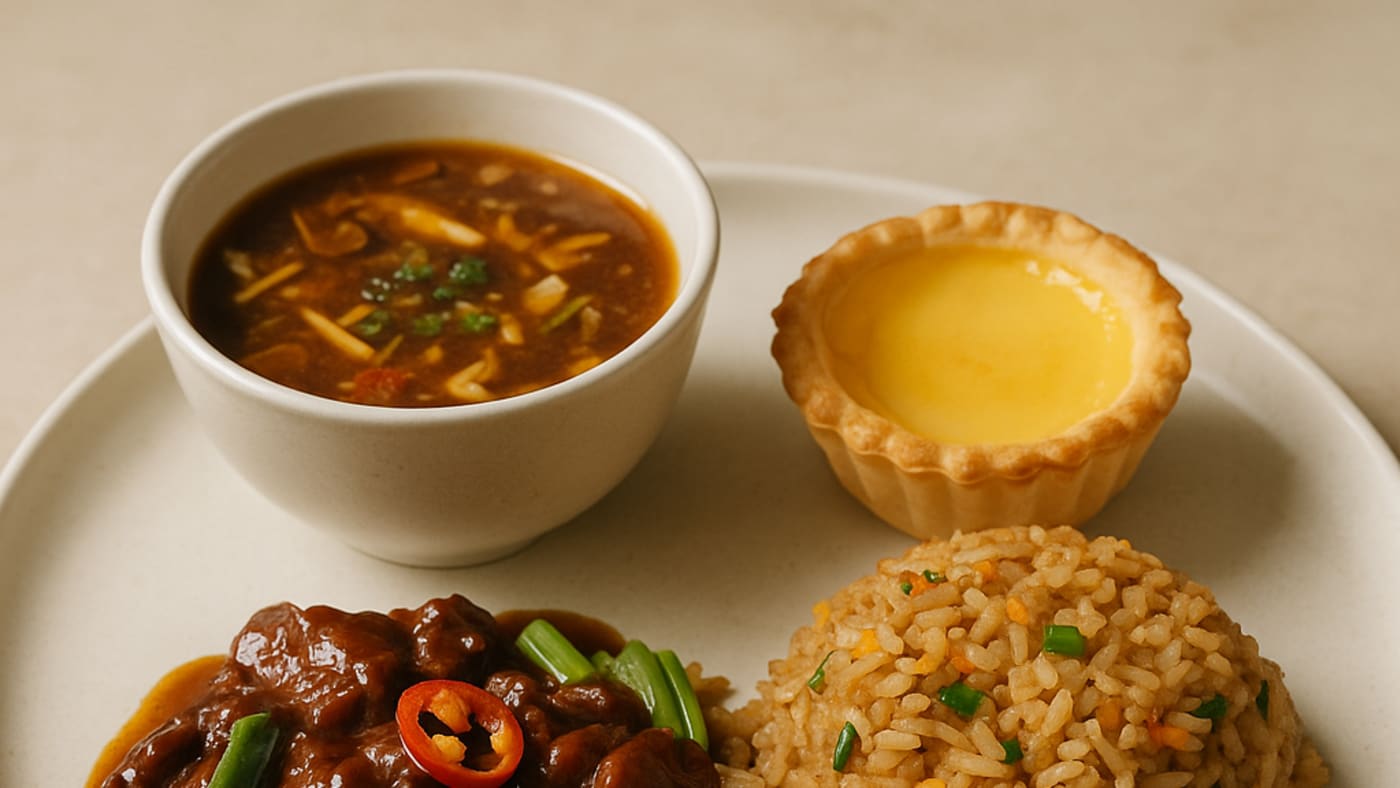
Cooking together is the most memorable format. It gives hands something to do, creates a shared outcome and makes silence feel natural instead of awkward. Here's how to structure it:
Pick a simple, flexible recipe. One pot, 20 minutes max, swappable ingredients. Examples: fried rice (any veg, any protein), pasta aglio e olio, a grain bowl, avocado toast with toppings, a smoothie.
Send the recipe and ingredient list 2–3 days ahead. Include a short video (even a phone recording) showing the key steps. Make substitutions explicit: "No soy sauce? Use salt. No spring onion? Skip it."
On the call, cook together in real time. The host (or a volunteer chef) leads, narrating each step. People follow along at their own pace. No judgement, no perfection.
Share results at the end. Everyone holds up their plate for five seconds. Celebrate the variety—no two will look the same.
If you want a fully hosted experience with kits, recipes and a professional chef, a virtual team building cooking class removes the logistics and delivers higher engagement—we've run hundreds for distributed teams at Amazon, Google and the ECB.
How this template fits into a bigger virtual team-building strategy
A virtual team lunch is a low-stakes, repeatable ritual. It's not a replacement for deeper team-building—it's the glue between bigger events. Here's how they fit together:
Monthly lunches keep connection alive. Quarterly experiences—a full virtual team building activity, a workshop, a celebration—create the peaks people remember. Annual offsites or retreats rebuild the relationships that sustain remote work. Each has a role.
Research by McKinsey links stronger workplace networks to higher sponsorship, belonging and engagement—the "social capital" case for bringing people together, even virtually. Virtual lunches are one lever; other remote team building ideas and virtual team engagement activities add variety and depth.
If you're onboarding new hires remotely, pair lunches with structured new team onboarding activities so people build relationships from day one, not month three.
Common mistakes (and how to avoid them)
After hundreds of virtual events, here are the patterns that kill participation:
No clear purpose. "Let's have lunch together" isn't enough. People need a reason—a dish, a prompt, a question. Without it, you get silence and drop-offs.
Making it mandatory. The moment a lunch feels like an obligation, it becomes a meeting. Attendance drops, resentment rises. Keep it optional and let the quality of the experience do the work.
Running over time. Thirty minutes means thirty minutes. If you go to 12:45, people will skip the next one to protect their calendar.
No host. Someone needs to welcome people, kick off the activity and close. Leaderless calls drift and die. The host doesn't need to be the manager—rotate the role if that feels more natural.
Ignoring time zones. If the same people always join at 06:00 or 21:00, they'll stop joining. Rotate times, run two sessions or acknowledge the compromise openly.
Forgetting to follow up. If you say "let's do this monthly," put the next three dates in the calendar immediately. Consistency builds trust; one-offs fade.
Adapting the template for different team sizes and cultures
The core structure—invite, agenda, activity—works across contexts, but the tone and format need adjustment:
Small teams (5–12 people): Use open prompts and longer answers. Everyone can share without the call dragging. Cooking together works beautifully at this size.
Medium teams (12–30): Use breakout rooms for the main activity (groups of 4–5), then come back together for a quick share. Or use faster formats like one-word check-ins or photo prompts where you can move through people quickly.
Large teams (30+): Consider multiple sessions by region or department, or use a watch-party format (everyone cooks along with a pre-recorded video, chat open for banter). A single 30-person call where everyone speaks is a 90-minute call.
Multinational or multilingual teams: Use visual activities (cooking, photo prompts, show-and-tell) that don't rely on fast conversation. Check that your chosen dish or question translates—food is often universal, idioms are not.
Camera-shy or introverted teams: Make cameras optional and choose activities that don't require performing—cooking, recipe swaps, chat-based prompts. Silence is fine; pressure is not.
Free resources and next steps
You now have a copy-paste invite, a 30-minute agenda and ten tested activity ideas. Here's what to do next:
- Copy the invite template above and adapt the tone to your team.
- Pick one activity from the list—start simple (a rotating question or a recipe swap).
- Schedule the first session and send the invite 5–7 days ahead.
- Host it, keep it to thirty minutes and close by asking, "Should we do this again?"
- If yes, put the next two dates in the calendar immediately.
If you want to skip the logistics and run a fully hosted virtual team lunch with a professional chef, ingredient kits and a tested menu, explore our virtual cooking classes for teams. We've delivered hundreds for remote teams worldwide—Amazon, Deloitte, JP Morgan—and handle everything from recipes to hosting so you can just show up and participate.
For more formats and ideas, see our guides to virtual icebreakers, Zoom team building games and Zoom activities that actually engage. Each offers ready-to-use structures for different goals and group sizes.
Final thought: make it a moment, not a meeting
A virtual team lunch works when it feels like a break from work, not an extension of it. The template gives you structure; the activity gives people a reason to show up; and consistency turns it into a ritual people look forward to instead of tolerate.
After running hundreds of sessions, the pattern is clear: teams that protect small, repeatable moments of connection—lunches, coffee chats, cooking together—report stronger trust, easier collaboration and lower turnover. It's not the lunch itself that matters. It's the signal it sends: we see you, we value your time, and we're willing to invest in staying connected even when it's not efficient.
Start small, stay consistent and give it three sessions before you judge whether it's working. Most teams need two tries to relax into the format. By the third, it starts to feel like theirs.
Planning a team event?
ChefPassport runs hands-on cooking experiences for corporate teams — in person at Kachatelier, Luxembourg, and virtually worldwide. Instant price estimate on the site.
Frequently asked questions
Free guide
Team Building Menu & Pricing Guide
Menus, group sizes, formats and indicative pricing — everything you need to plan, in two PDFs. No spam, unsubscribe anytime.